Clips3.1.7
Publisher Description
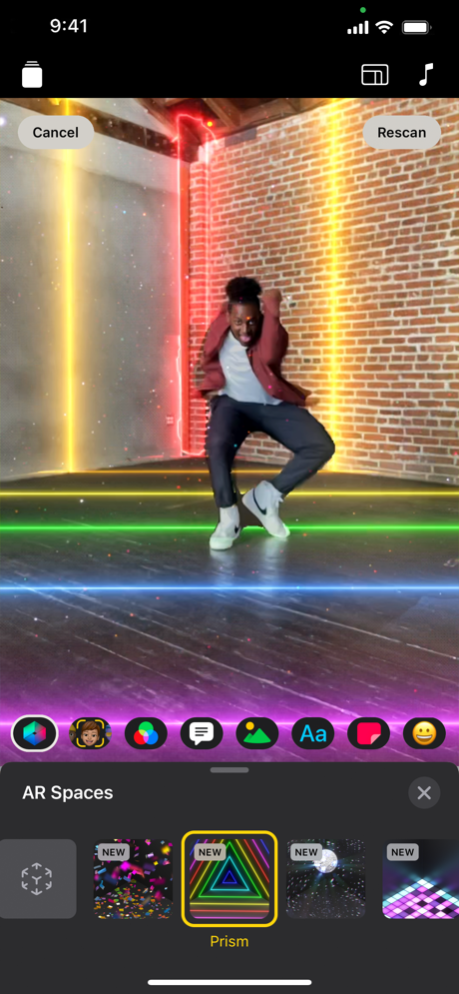
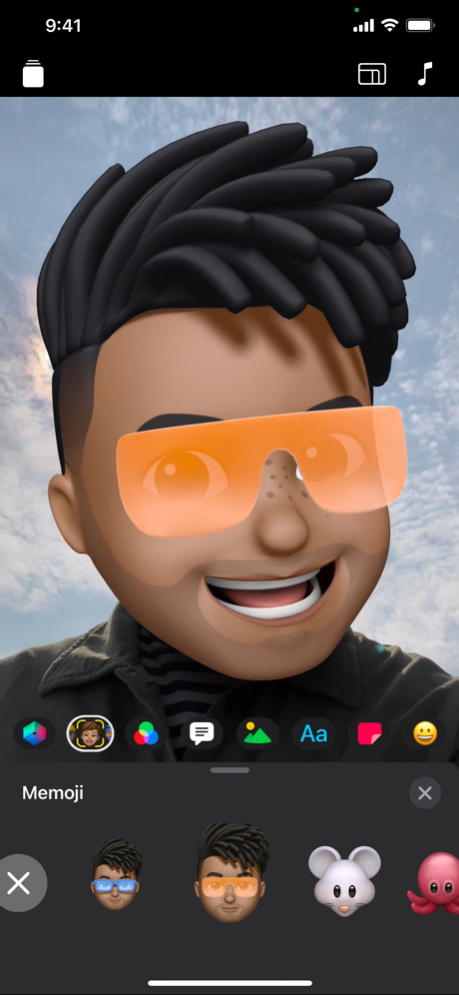
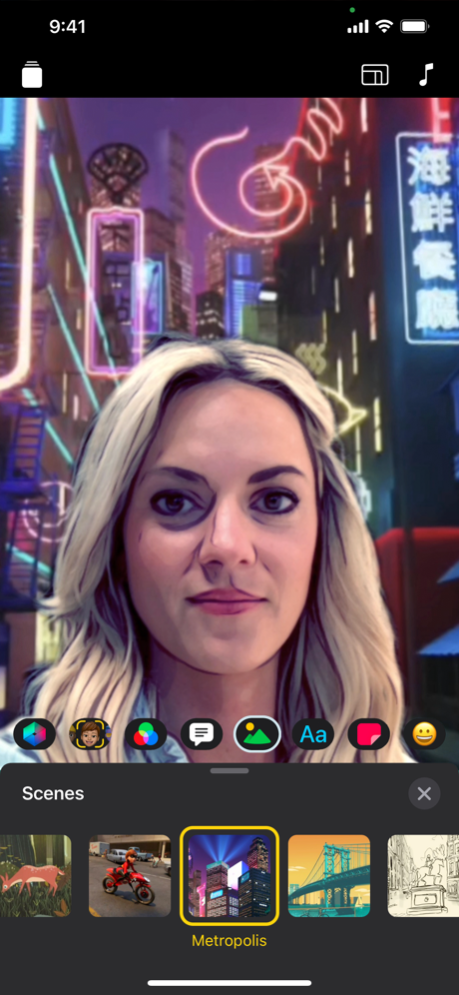
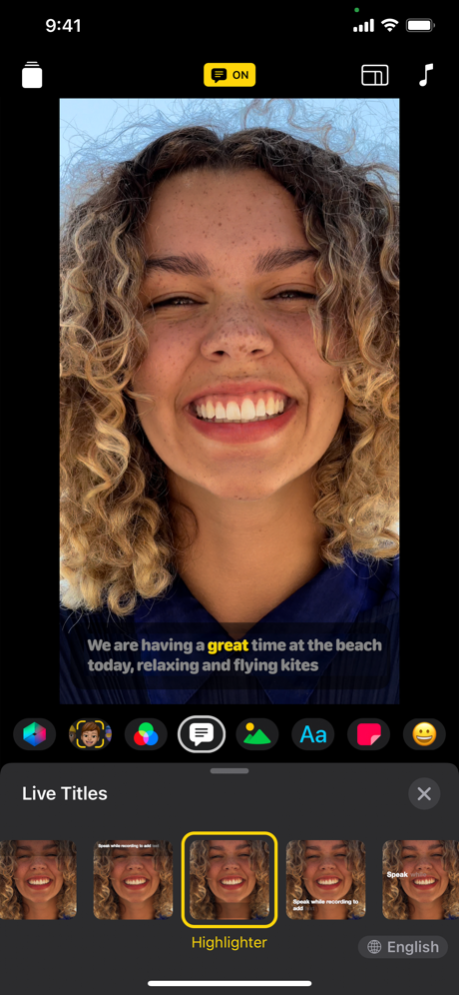
Clips is a free app for making fun videos to share with friends and family. With a few taps you can create vertical and horizontal videos with immersive camera effects, artistic filters, dynamic music, animated text, emoji, stickers, and more.
Make quick videos
• Record vertical and horizontal video clips with simple controls
• Add photos and videos from your library to quickly create a multi-clip video
• Drag and pinch while recording to add smooth pan and zoom animations
• Easily adjust the length of your clips and reorder them
• Connect a Bluetooth keyboard, mouse, or trackpad to create videos quickly
Amazing camera effects and animations
• Record fun, immersive AR Spaces that turn your room into a rainbow light show, dance floor, confetti party, and more*
• Record expressive clips with the Memoji you make in Messages**
• Selfie Scenes place you within 360-degree video environments with special filters and sound effects**
• Apply artistic filters to turn any photo or video into a moody painting, silent film, or comic book illustration***
Captions, text, and posters
• Live Title captions are automatically generated as you speak and appear onscreen to match the timing of your voiceover
• Apply customizable text stickers to label elements in your videos and photos
• Use full-screen posters with animated backgrounds and customizable text to help tell your story
Fun stickers and emoji
• Add animated emoji, speech bubbles, illustrated stickers, and shapes to your photos and video clips
• Stick emoji, stickers, and text onto your face and watch them move with you
• Express even more emotions with the featured Snoopy stickers
Complete your video with music
• Add a music track from your library or choose from more than 100 soundtracks that automatically adjust to the length of your video
• Create songs in GarageBand and other music apps, then add them directly to your Clips videos
Easy sharing
• Quickly send your videos to friends and family via Mail and Messages
• Share directly to Instagram and other popular social media sites
• Use iCloud to view and edit your Clips videos on any of your iOS devices
* AR Spaces require iPhone 12 Pro, iPhone 12 Pro Max, or iPad Pro (2020 or later)
** Memoji and Selfie Scenes require an iPhone or iPad with TrueDepth camera system
*** Some effects require iPhone 7 or later, iPad (6th generation), or iPad Pro (2017) or later
May 9, 2024
Version 3.1.7
• Includes stability and performance improvements
About Clips
The company that develops Clips is Apple. The latest version released by its developer is 3.1.7.
To install Clips on your iOS device, just click the green Continue To App button above to start the installation process. The app is listed on our website since 2024-05-09 and was downloaded 19 times. We have already checked if the download link is safe, however for your own protection we recommend that you scan the downloaded app with your antivirus. Your antivirus may detect the Clips as malware if the download link is broken.
How to install Clips on your iOS device:
- Click on the Continue To App button on our website. This will redirect you to the App Store.
- Once the Clips is shown in the iTunes listing of your iOS device, you can start its download and installation. Tap on the GET button to the right of the app to start downloading it.
- If you are not logged-in the iOS appstore app, you'll be prompted for your your Apple ID and/or password.
- After Clips is downloaded, you'll see an INSTALL button to the right. Tap on it to start the actual installation of the iOS app.
- Once installation is finished you can tap on the OPEN button to start it. Its icon will also be added to your device home screen.
Program Details
System requirements
Download information
Pricing
Version History
version 3.1.7
posted on 2024-05-09
May 9, 2024
Version 3.1.7
• Includes stability and performance improvements
version 3.1.6
posted on 2023-12-05
Dec 5, 2023
Version 3.1.6
• A new onboarding experience guides users through setting appropriate permissions for camera, microphone, and photo library access.
version 3.1.5
posted on 2023-09-28
Sep 28, 2023
Version 3.1.5
Clips 3.1.5 includes the following enhancements and bug fixes:
• Adds support for log-encoded video recorded with iPhone 15 Pro.
• Fixes an issue where selecting Share Video would sometimes result in an empty clip saved to Photos.
version 3.1.4
posted on 2023-03-15
Mar 15, 2023
Version 3.1.4
• Fixes an issue in which projects cannot be accessed when using a Managed Apple ID with iCloud
• Includes stability and performance improvements
version 3.1.2
posted on 2021-09-20
Sep 20, 2021 Version 3.1.2
• Import and edit video captured in Cinematic mode on iPhone 13
• Apply effects like filters, stickers, and emoji to video recorded in Cinematic mode
• Add videos or photos from your Photos library with a single tap, without having to record each one into your project
• Import and edit ProRes video*
• Add ProRAW images to your videos
• Stability updates and improvements
* Requires iPhone 13, iPad mini (6th generation), iPad Pro 11-inch or iPad Pro 12.9-inch (3rd generation or later)
